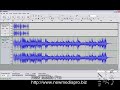
Entry-Level Podcasting Presentation:
by John Kuzmich, Jr. and Wiley Cruse
February 23, 2009
http://www.kuzmich.com/podcasting/Podcasting_short.htm.
&
http://www.kuzmich.com/podcasting/Podcasting Web Site.html
Welcoming Podcast: Meet Mr. Cruse and Dr. Data!
http://www.kuzmich2.com/cruse/Freestyle.wmv
What is Podcasting?
Podcasting is the latest method of posting audio or video programs over the Internet for listeners can easily access. It is fast, personal, convenient and cool. Podcasting is fast becoming a regular part of contemporary teaching strategies. In this workshkop, you will learn the tools of creating a podcast. The process consists of three steps:
- Digital-Audio Recording,
- RSS
- Posting the RSS Feed file to the Internet.
The basis of a podcast is an MP3 file. In order to transform a simple MP3 file into a podcast, you must use an XML text title technology called RSS (Really Simple Syndication). The RSS text file looks to the MP3 file to include information about the date the podcast was recorded, the title of the podcast and the description of the recording. This enables listeners to use various software applications to look for new RSS 2.0 text files and automatically download the newest episode of their favorite podcasts. Freeware software will be featured for both Mac and PC platforms featuring some of the above: Audacity, GarageBand, RSS Publisher, iMovie, Switch, iTunes and others.
Workshop Agenda:
- 30 minutes of presentations
- 30 minutes of hands-on construction
Instruction Materials/Resources
Published Podcasting Articles by John Kuzmich, Jr.
- November, 2006
Podcasting for Music Educators, Part 1
- December, 2006
Tools to Get You Podcasting, Part 2
Demo Podcasts:
- www.kuzmich.com/podcasting/Demo.mp3 (straighit digital-audio recording)
- www.kuzmich.com/podcasting/Demo_Special_Effects.mp3 (same recording with compressor and echo sound effects)
- http://www.kuzmich.com/carmody/podcasting/pod1.mp3 1st class podcast followed by subsequent podcasts
- http://www.kuzmich.com/carmody/podcasting/pod2.mp3
- http://www.kuzmich.com/carmody/podcasting/pod3.mp3
- http://www.kuzmich.com/carmody/podcasting/pod4.mp3
Step-by-Step Podcasting Tutorials for PC and Mac Applications Used In This Workshop
- Podcasting_PC_Tutorial.html
- Podcasting_Mac_Tutorials
Parent Web-Based Newsletters with Podcasting:
- http://www.kuzmich.com/parent_newsletters25.html: Podcasting (Click Here, Wait for Download and Listen)
- Go to: http://www.mmresourcecenter.org/rss2.html and become familiar with the article because it contains both editorial insight and products/tutorials and more on the right column.
Podcasting Recommendations
- Best free MAC RSS software is FeedMe. There are others listed on the right column of the previous citation..
- Best free RSS application for PC is RSS Publisher.
- Best FTP transfer program to upload/download RSS podcasts for MAC is Fetch. You can download it for free as an educator. But you have to register first as an educator and two days later you will get the rights to download it for free. For more FTP options, see the FTP section of this web site for other freeware applications.
- Audacity, a digital-audio recorder, needs to be taught in this clinic primary because it is freeware for both Mac and PC and really that good, especially with its 18 special effects features. Another choice is GarageBand by Apple that is the ultra intuitive digital-audio sequencing application that comes free with Mac OS 10 and later.
- Another good web site: http://www.mmresourcecenter.org/pcast.html which again has lots of editorial insight and recommended products, tutorials and more on the right column.
- Since the Jeffco server does not accommodate podcasts well, suggest you consider setting up a free blogger where you can put links on easily for viewing and listening. http://www.blogger.com is one that you can use. For an example of podcasting links, go to: http://drdata2.blogspot.com/ to see how blogs are easy places to post your podcasts.
- Another alternative to posting to the Jeffco server, your own web site or blogger is to post to social networks such as MySpace or Facebook. For a rather definitive article on this subject, go to: http://www.kuzmich.com/Social-Network Article2.pdf. This article will be published in the March, 2009 issue of School Band & Orchestra magazine as well as to their web site edition at: http://www.sbomagazine.com.
- The best school blog can obtained at: ePals at: http://www.epals.com/schoolblog with no advertising. Students can not have their own blog, but each teacher in a school can have their own blog for their classes. And it is free and is literally a protected school environment.
- Must reads: FeedBurner and
Apple - iTunes - What’s on iTunes? - Podcasts - Technical Specification
Podcasting Resources
RSS Feed Readers
Encoders —
Sound Utilities / Equipment—
Other Tutorials—
Text / Reference Books
News
Web Sites —
FTP Applications
For Free FTPs try:
- SmartFTP,
- FileZilla or
- FireFTP (this is duel platform).
- For Mac, try Fetch at http://fetchsoftworks.com/
 ?span dir="ltr">- 10:10am
In this Audacity tutorial you'll finally press record. We'll take a tour of the software and learn how to record your podcast. ...
?span dir="ltr">- 10:10am
In this Audacity tutorial you'll finally press record. We'll take a tour of the software and learn how to record your podcast. ...